WLW Post Download Plugin–instructions
UPDATE 9/25/2010: Fixed some more blogger issues. Thanks to Jimmy Bergmark for the big help in testing this.
The issue: you are browsing your blog and come across a very old post that you wish to update (typo, changes, etc.). You try to open it with Windows Live Writer but the mission is almost impossible since the post is deeply buried in the history and hard to find.
The solution: my plugin! In reality it’s not really a plugin in the literal sense as much as a standalone application that uses Windows Live Writer to accomplish its job.
How it works: the plugin installs a URI handler which means that by creating a specially crafted url to be published on your blog or to type in on any browser, you will be able to download the post and edit it with Windows Live Writer. To specially craft the url you need two bits of information: the postid of the post to be edited and if the post itself is a “regular post” or a “page”. The url format is this:
wlw://[yourblogdomain]/?postid=[postid] for regular blog posts and
wlw://[yourblogdomain]/?pageid=[postid] for a “page”.
You can even put the link in the post content itself by editing the template. For added security you can make the link visible only to the blog editors, but nonetheless the blog credentials will be required to perform the editing anyway.
For example, if I wish to edit this page I need to open the following URL:
wlw://aovestdipaperino.com/?pageid=4952
The image below shows what happens when such URL is opened:
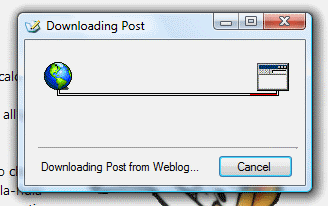
Note for blogger/blogspot users: The url format described above only works for MetablogAPI based blogs (95% of the blogs platform supported). An exception to this is the blogger/blogspot platform for which a different but simpler url format is required. The url format for blogger is the same URL that links to the post with WLW in place of HTTP. For example, if this blog was running on blogger, the URL to open it would be:
The plugin is downloable from this page or directly from this link.
-enjoy
Backlinks which might provide better instructions:
- How to edit old postings with the WLW
- How to edit very old posts with Windows Live Writer
- Open old posts in Windows Live Writer
Potrebbero interessarti anche:
- Windows Live Writer Post Download Plugin
- Google copies Microsoft
- If you are not part of the solution...
- Licenza di scrivere
- A.A.A. iPhone vendesi


lunedì 11 ottobre 2010 alle 6:53 PM -
One question:
1. can it be used with Google Chrome?
2. it can also used with WordPress?
Permalink - Rispondi al commento
lunedì 11 ottobre 2010 alle 7:16 PM -
Yes and yes since Wordpress supports the Metablog API.
Permalink - Rispondi al commento
martedì 6 dicembre 2011 alle 2:32 PM -
Any chance of getting the source code? Or having it on Codeplex? The documentation on the WLW API is very sketchy and this would help greatly to illustrate how we can use it to open a particular blog post.
Peter
Permalink - Rispondi al commento
martedì 6 dicembre 2011 alle 4:28 PM -
@Peter: I can send you the code if you want, but I am not convinced it should live on Codeplex. I don't use public APIs, I use some internal WLW APIs I discovered through reflector. I hope one day this becomes built-in functionality.
Permalink - Rispondi al commento
giovedì 8 dicembre 2011 alle 9:40 PM -
@Paperino: I'd love the code, yes. We're looking to do a project where we use the WLW capacities to manage other content items on a site than blog. It seems the WLW API and management capabilities were only designed with blogs in mind. But it could be a very powerful tool to manage other content items on websites due to its ability to embed content. Your code would really help to find a workaround for the lack of management capabilities. Cheers.
Permalink - Rispondi al commento
venerdì 9 dicembre 2011 alle 12:23 AM -
Yes Peter, by using this "hack" you could technically manage any type of content: I thought about that in the past as a possibility for users to post elaborate comments etc. Now that you make me think back to this, yes it would make sense to make it on codeplex. I am sending the code your way for now, gimme a couple of days to find which version is the most up to date.
Permalink - Rispondi al commento
lunedì 12 dicembre 2011 alle 10:48 PM -
Hey man. Did you already try to send it over? I'm running through my spam filter to see if it got stuck there.
Peter
Permalink - Rispondi al commento
martedì 13 dicembre 2011 alle 7:09 PM -
I just did. I've been busy and I am fairly positive I am sending the latest version. Check your email, sorry for the delay.
Permalink - Rispondi al commento
domenica 4 marzo 2012 alle 4:27 AM -
Hi, How are you? I´m getting this error in a huge blog. It works fine with lower numbered pages.
destino de la invocación. ‐‐‐>
WindowsLive.Writer.PostEditor.PostEditorStorageException: Error de acceso a la
entrada local ‐ Error inesperado al tener acceso a la entrada local
﴾UriFormatException﴿
URI no válido: no se puede analizar el nombre de host.
en
WindowsLive.Writer.PostEditor.PostEditorFile.SaveCore﴾IBlogPostEditingContext
editingContext, PostEditorFile autoSaveSourceFile, String filePath﴿
en
WindowsLive.Writer.PostEditor.PostEditorFile.SaveBlogPost﴾IBlogPostEditingCont
ext editingContext﴿
‐‐‐ Fin del seguimiento de la pila de la excepción interna ‐‐‐
en System.RuntimeMethodHandle._InvokeMethodFast﴾Object target, Object[]
arguments, SignatureStruct& sig, MethodAttributes methodAttributes,
RuntimeTypeHandle typeOwner﴿
en System.RuntimeMethodHandle.InvokeMethodFast﴾Object target, Object[]
arguments, Signature sig, MethodAttributes methodAttributes,
RuntimeTypeHandle typeOwner﴿
en System.Reflection.RuntimeMethodInfo.Invoke﴾Object obj, BindingFlags
invokeAttr, Binder binder, Object[] parameters, CultureInfo culture, Boolean
skipVisibilityChecks﴿
en System.Reflection.RuntimeMethodInfo.Invoke﴾Object obj, BindingFlags
invokeAttr, Binder binder, Object[] parameters, CultureInfo culture﴿
en WLWPostDownloader.MainForm.InvokeMethod﴾Object o, String[]
methodNames, Object[] args﴿
en WLWPostDownloader.MainForm.backgroundWorker_DoWork﴾Object sender,
DoWorkEventArgs e﴿
Permalink - Rispondi al commento
lunedì 5 marzo 2012 alle 7:43 PM -
It seems more like an issue with the blog URL. I would suggest you try to do it on a machine where you have only one blog configured on WLW. Lemme know.
Permalink - Rispondi al commento
sabato 10 marzo 2012 alle 1:44 AM -
Same problem, the blog has more than 1000 pages.
Permalink - Rispondi al commento
sabato 10 marzo 2012 alle 6:37 AM -
Contact me privately and I will see if I can debug your issue.
Permalink - Rispondi al commento